How to register as a freelance contractor
Embrace the freedom of freelancing, and banish the administrative burden
Invoicing, tax responsibilities, contracts and even getting paid — all of this can feel daunting when you work for yourself. The good news is there are ways to remove the time sinks and frustration that come with admin. Use this handbook as a practical plan to set up payment systems quickly and confidently so you can concentrate on what matters most: your clients.
How to set up the right business registration
Setting up contract agreements for new clients
How to get paid as an independent contractor
How to manage and monitor invoices
Managing independent contractor taxation obligations
Liability considerations for independent contractors
Accounting requirements for independent contractors
How do I ask the company I’m working with to convert me to an employee?
5 ways Remote makes life easier for contractors and their clients
Onboard with Remote and get set up in minutes
How to set up and get paid as a freelance contractor: your blueprint to eliminate annoying admin
As an independent contractor you are accountable for every aspect of your business: attracting and retaining clients, delivering projects, keeping on top of admin, and marketing your services. You may be required to carry out tasks beyond your specialism, such as preparing everything about your business: getting and keeping clients, working on projects, handling admin, and marketing your business. You are also responsible for tasks that might lie outside your expertise, such as writing up contracts and dealing with taxes.
Drafting a contract can feel intimidating if you’re unsure which employment rules apply, particularly when a client is abroad. You may also worry about receiving payments after sizeable processing fees have been deducted from your earnings.
We want to reassure you that you can handle all of these responsibilities. Setting up and getting paid as a freelance contractor need not be slow or difficult — it can be quick, straightforward and effective no matter where your clients are located.
This guide offers practical advice for independent contractors, particularly those new to running their own business. We outline how to put in place processes for managing your work and show how automation can simplify that work.
We cover the four most worrying areas for freelancers and explain how to handle them with confidence:
Contracts
Payments and fees
Invoicing
Tax
Ready to learn more about simplifying your freelance business? Let’s start at the very beginning: setting up your business.
How to set up the right business registration
Before you start trading as an independent contractor, you must decide on the legal form your business will take. That choice determines your tax and legal duties. Which structure suits you depends on where you are tax resident, as different countries — and sometimes regions — set their own rules for contractors.
Most jurisdictions provide a handful of typical options
Individual entrepreneur. This is a straightforward option for sole contractors. In some places, such as France there’s a legal distinction between the person and the business; elsewhere that separation may not exist.
Partnership. A business run by two or more people under a partnership agreement. Often partners and the business are not treated as separate legal entities.
A limited liability company. A formal corporate entity distinct from the person running it. Usually, profits and losses belong to the company rather than to you personally.
There may be other structures depending on where you operate. For instance, Australia, for example, allows a trust model where a trustee runs the business on behalf of beneficiaries.
Each option has advantages and drawbacks, but many contractors opt for the individual entrepreneur route because it’s generally easy to set up and manage.
For country-specific employment guidance, see Remote’s Country Explorer — our global hiring guides contain practical details to help you establish your freelance operation.
Read more on how to become an independent contractor

Contractor Management
Setting up contract agreements for new clients
Many contractors dislike drafting contracts and may feel daunted if it’s not within their expertise. Some might even think of operating without one.
Skipping a contract is usually unwise. Contracts provide essential protection and typically cover items such as:
Contracts set out exact tasks, deliverables and project requirements. That helps freelancers avoid scope creep and prevents being expected to carry out extra work without proper pay.
Contracts make payment terms explicit, including the sum, the payment method and any milestones or deadlines.
Contracts deal with ownership and rights to intellectual property created during the work. Clear clauses protect freelancers from later disputes.
Contracts explain how the agreement can be ended or suspended. This shields contractors from abrupt terminations.
Contracts clarify the relationship between contractor and client, helping prevent misclassification issues for both parties.
Although contracts are invaluable, they can be complicated because contractor rights and working conditions vary internationally. A generic template downloaded at random may not be enforceable in some countries and could even work against you.
Contractors can ensure their arrangements with domestic and overseas clients are lawful by using Remote’s compliant, personalised contract templates. These are tailored to specific national laws so contractors remain compliant regardless of where the client sits.
If you already have an agreement you prefer, you may continue to use it. When you join Remote as a contractor, you can upload your own contracts instead of ours.
Learn more about contracts here.
More on independent contractor agreements

Independent contractor agreements: a guide for businesses
The dangers of contractor misclassification
In nearly every country, independent contractors are classified differently than employees. Many of the protections employees receive — such as healthcare, pensions and share schemes — usually do not apply to contractors. Working as an independent contractor means trading those benefits for the autonomy to choose clients and set when, where and how you work.
Despite the distinction, some employers may purposely misclassify contractors to avoid obligations; other times it happens by mistake. Whether deliberate or accidental, misclassification can lead to penalties and fines for both you and your client. The client could face significant fines in their jurisdiction, and you might suffer consequences for not having paid the correct tax in your own country.
Bear in mind that it is in your best interests to be accurately classified as a contractor.
First, a contractor has freedom over how they work. In the United States, for example, employers cannot dictate how a contractor carries out their tasks or impose fixed working hours; the contractor controls when and how the job is done so long as the agreed outcome is delivered. Second, correct contractor classification offers greater control over your earnings.
Penalties for misclassification vary by country. To reduce risk, agree your role and duties with clients and review the working arrangement periodically. If your involvement with a client increases and you become more integrated into their organisation, you can request conversion to employee status
Read more about the risks of misclassification in these guides

Employee and independent contractor misclassification: Expert guide

The consequences of misclassifying employees as contractors
How to get paid as an independent contractor
As an independent contractor, you are responsible for issuing invoices and collecting payments. That often means billing each client separately and accepting whatever payment method they prefer — which can be slow and inefficient.
Some of the most common ways to receive payment include:
Bank transfers
Bank transfers involve moving funds between accounts. While typically fast, they often incur substantial service fees.
Direct deposits. A payment straight into your bank account. Also speedy, though the client may face charges; complications can arise when dealing with multiple or overseas clients.
Paper checks. Paper checks can be deposited via mobile apps, but processing times are lengthy and physical checks risk being lost or stolen.
Money orders. Money orders are a secure international option in many places but are inconvenient: they must be bought in person and, like checks, can be delayed or lost. They can also raise suspicion because scammers sometimes use them.
Virtual wallets. Digital wallets are growing in use and offer rapid payment, but some clients may not accept them and there are security considerations.
Digital transfer services like PayPal and Wise. These services are quick and convenient and often include invoicing features. However, they may deduct fees or apply unfavourable exchange rates, which can be significant.
Alternatively, you can use a trusted service such as Remote. Our platform provides a simple, secure and reliable way to be paid promptly in your local currency — with no hidden charges. Add your bank account as a withdrawal method in your Remote dashboard and client payments will be deposited directly into your account.
You also do not need to keep checking the dashboard for payment status: Remote emails you as soon as an invoice is settled. Find out how our platform can help with payments.
Your go-to guide for freelance invoicing plus a free template

How to invoice as a freelancer: a simple guide and a free invoice template
How to get paid by international clients
International payments involve extra complexity compared with domestic ones. Converting currencies, arranging wires and other methods, and high processing charges can make accepting international payments stressful.
Remote simplifies this. Our contractor management service covers more than 200+ countries and territories, enabling you to be paid in your preferred currency regardless of the currency you invoice in. The process works like this:
1. Invoice
You bill your client in the currency that suits them and upload the invoice to Remote’s contractor management platform.
2. Payment is made
The client settles their invoices in their own currency.
3. Payment is received
When Remote gets the funds, we convert them into your chosen currency before releasing them to you.
Contractors can choose from two payout methods. Add your bank account details to Remote, where payouts are powered by Wise, or you can use a Stripe Connect account. You may update your preferred currency and payment details at any time.
What about fees?
We partner with multiple providers to keep pricing fast and as low-cost as possible. We do charge your clients a $29 fee for payment processing, but as a contractor, the only fee you pay is a mid-market currency conversion fee. If you’re being paid in your preferred currency already, there’s no fee at all.
You can learn more about our fees in this support centre article.
How to manage and monitor invoices
Invoicing as an independent contractor can be time-consuming. Many people end up cobbling together spreadsheets, email and other manual methods to create, send and track invoices — a slow, error-prone approach.
By automating your invoicing, you can streamline billing and return your time to paid work. Remote can assist with this.
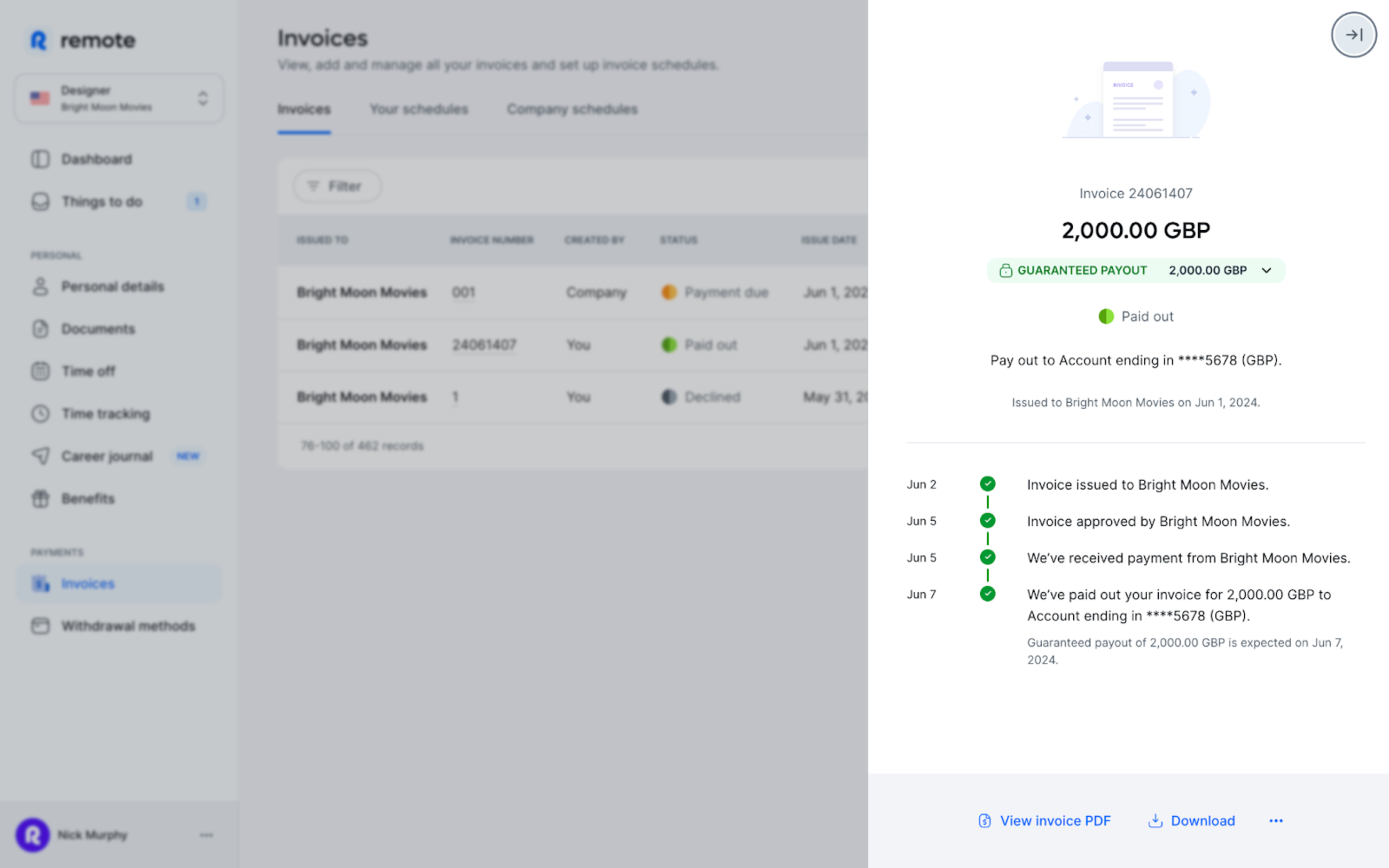
With Remote you no longer need to depend on spreadsheets, email and other manual tools for invoicing. Our platform lets you build invoices, submit them for approval and receive payment in your local currency without switching to different software. Upload your invoices to Remote, we’ll route them to your clients and you’ll get status updates as each invoice progresses through approval.
Setting up billing
As a contractor, submit invoices to clients through your Remote dashboard. You can do this in two ways:
1. Upload your own invoice
Create an invoice showing the invoice date and total amount, then submit it as a PDF.
2. Create an invoice on Remote
Use our templates to compose an invoice on the platform. You can also set up recurring invoices that are sent to your employer automatically.
To find out more, read this article in our Help Centre.
Managing independent contractor taxation obligations
As an independent contractor you are responsible for settling your own taxes. Tax rules differ by country, so the ways taxes are collected and reported vary internationally.
For example, in the US you pay tax directly to the authorities, while in other countries clients may need to deduct tax at source. For details about contractor tax obligations where you live, see Remote’s Country Explorer page.
This is one reason why correct classification as a contractor matters — it affects how you meet your tax obligations.
Liability considerations for independent contractors
As an employee, the employer generally handles liability. As a sole trader, you can be personally liable for business debts such as finance or tax obligations, meaning private assets might be used to settle those debts. To reduce risk, many contractors take out liability insurance.
It’s also wise to protect yourself legally when entering agreements with clients. Remote’s legal team reviews our contract templates so you remain compliant in the countries where you work.
Take charge of your business with Remote Freelancer Hub
Manage your clients, organise contracts, invoices and get paid — all in one place.
Accounting requirements for independent contractors
As an independent contractor you do not normally need to publish financial statements annually. You must, however, keep orderly records of your accounts — including client invoices and business expenses — so you can monitor income and prepare taxes.
You can maintain these records yourself with accounting or bookkeeping software, or engage a professional bookkeeper or accountant.
Consider opening a separate bank account for business transactions; some jurisdictions require a business account once turnover exceeds a set threshold.
How do I ask the company I’m working with to convert me to an employee?
Start a conversation with your client and discuss the risks and benefits of moving to an employer–employee relationship. Focus on advantages for both sides rather than only for you. There are several reasons a company might want to convert you to an employee. For example, you might point out that the client would then control your hours and methods of work.
Listen carefully to client concerns. International clients may be reluctant to hire without a legal entity in the country where you work. In such cases, suggest using an Employer of Record (EOR).
An EOR is a company that employs people on behalf of another business in a foreign country. Typically, an EOR handles HR administrative tasks including local payroll, benefits administration and tax compliance.
Remote, for example, is an EOR and can help your client remain compliant with the laws in your jurisdiction.
To find out more about advocating for yourself as a remote worker, download our Remote Toolkit.
5 ways Remote makes life easier for contractors and their clients
There is a lot to consider when starting as an independent contractor. Remote can help you tackle many of these tasks so you can concentrate on growing your practice and delivering for clients. Here’s how:
Learn more about how Remote can help you as an independent contractor here.
Onboard with Remote and get set up in minutes
Having the freedom to work on your own terms is empowering. But administrative duties can pull you away from what you really want to do: serve clients, get paid quickly and grow your business.
Using a stable, trusted platform like Remote helps you handle these obligations efficiently so you can focus on your business objectives.
Our platform makes it quick and straightforward to get started as an independent contractor — we guide you through onboarding and the identity checks required for security. You’ll also be asked to upload any necessary tax documents for secure storage.
Learn more about how Remote can save you — and your clients — time and resources.
Get started with Remote today.